

How to Write an Instagram Bio (With Examples)

A good Instagram bio tells a new visitor three things in 150 characters or fewer: who you are, what they get from following you, and what to do next. Put a searchable keyword in your name field, use the bio for one clear promise and one true detail, and end with a call to action that matches your link.
Disclosure: Liink publishes this guide and makes a link-in-bio page builder. Liink is not affiliated with Instagram or Meta. Instagram's Help Center was checked in October 2026. Menus and limits can change, so trust the current help page if your app looks different. Every example bio in this guide is original and fictional.
What to put in an Instagram bio
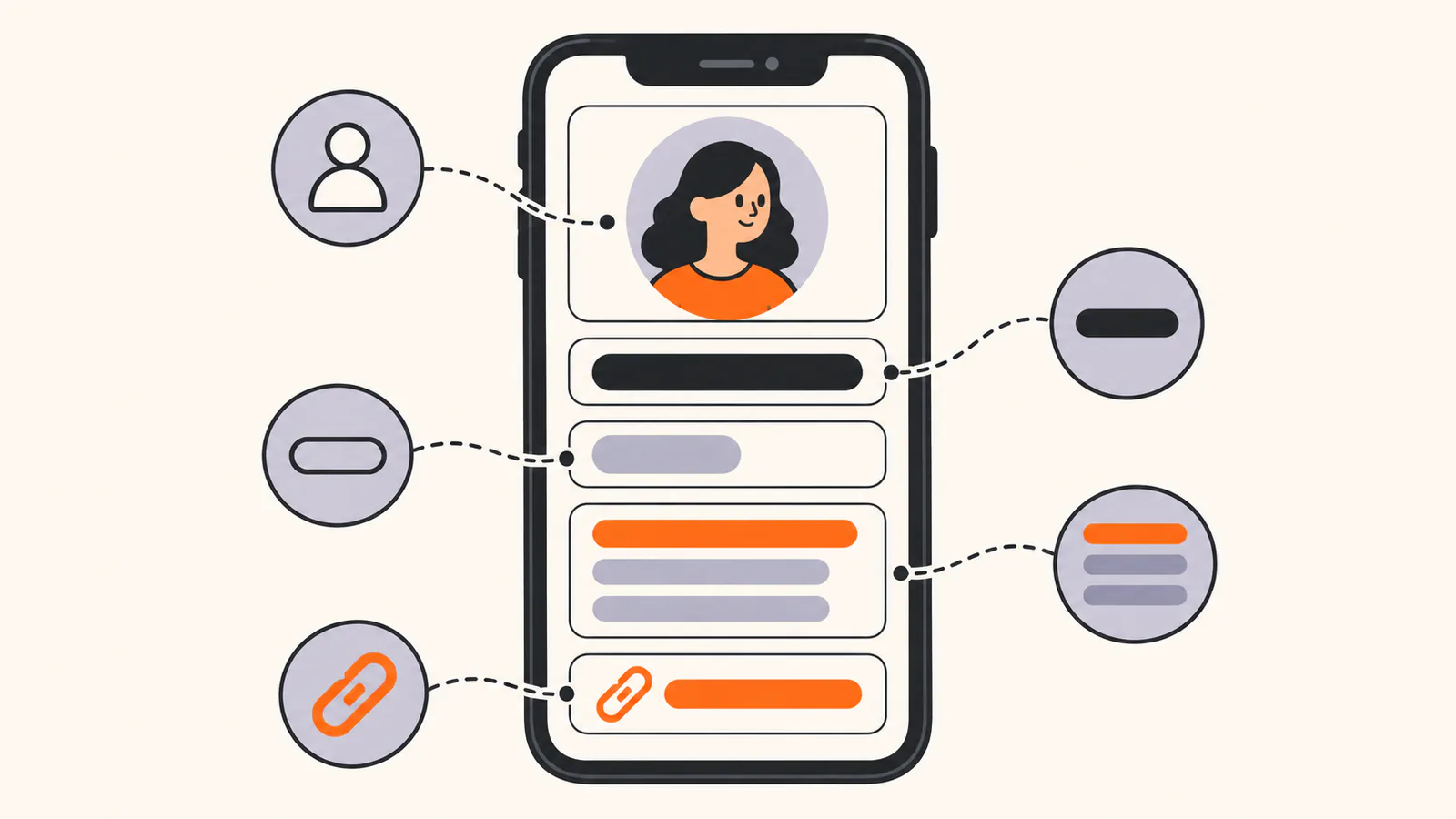
Your profile header has several fields, and each one does a different job. Weak bios try to squeeze everything into the bio box. Strong ones spread the work across the fields.
The bio itself has room for two or three short lines. Give each line one job:
Keep it under 150 characters
Instagram's limit for the bio is 150 characters. That is roughly 25 words, so cut filler first: welcome to my page, official account, and long lists of hobbies. Many people split the bio into short lines so it is easier to scan. After you save, open your profile on your phone and check that each line reads the way you intended.
Use mentions and hashtags with care
When you type @ or # in your bio, Instagram turns the mention or hashtag into a live link. According to Instagram's announcement of the feature, a mentioned account gets a notification and can remove the link to its profile, while its name stays in your bio. Use an @mention for a second account or a business you run, and one branded hashtag at most. Every extra link inside the bio is another way for visitors to leave before they follow.
Steps to write your Instagram bio
Write three versions before you choose. Show them to someone who doesn't know your account and ask them what you do. Keep the version they explain back most accurately.
Instagram bio formulas you can adapt
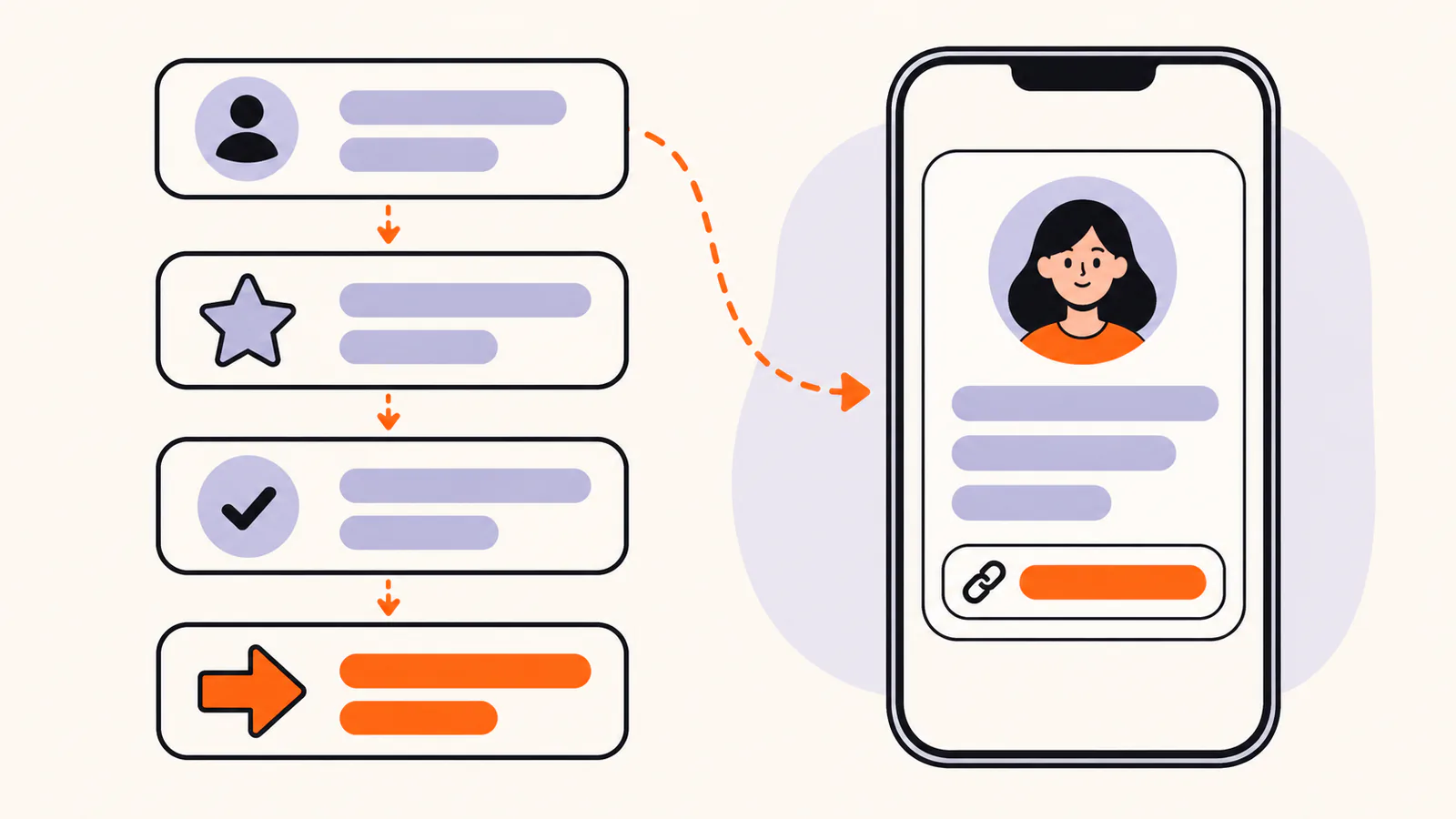
A formula gives you a structure to fill in, so you never start from an empty box. Replace the brackets with your own words and keep the result under 150 characters.
The middle dot (·) and the down arrow (↓) are optional. They separate ideas and point toward your link, but plain words work just as well. If a formula forces you to add something that isn't true, pick a different formula.
Instagram bio examples by goal
Every example below was written for this guide and is fictional. Each one fits within 150 characters. Swap the bracketed parts for your own details, and keep a claim only if it is true for you.
Creator bios
New routine every Monday
Get the free 7-day plan ↓
Recipes in the captions
Shopping lists at the link ↓
Train routes, cheap stays, honest reviews
Plan your next trip ↓
New tip every weekday
Free formula cheat sheet ↓
What I read this month and who it's for
This month's list ↓
Care tips every Sunday
Ask me a plant question ↓
Small business bios
[Neighborhood], [city] · Wed–Sun 7am–2pm
Pre-order weekend loaves ↓
By appointment, Tue–Sat
Book your chair ↓
New batch the first Friday of each month
Shop the latest batch ↓
Open daily 7am–5pm · Dogs welcome
Menu and directions ↓
Local delivery in [city]
Order a bouquet ↓
Beginners welcome · [neighborhood]
Book your first class ↓
Freelancer and service bios
Logos, packaging, menus
See recent work ↓
Clear, warm, easy to read
Portfolio and rates ↓
From design handoff to launch
Recent projects ↓
US and EU time zones
Check my availability ↓
Programs built around your schedule
Apply for coaching ↓
Based in [city], happy to travel
Check your date ↓
Professional bios
First-time buyers and downsizers
Market notes every Thursday ↓
Practical tips on Tuesdays
Get the free planning template ↓
Writing about remote work and calmer teams
Read chapter one ↓
Short videos that make fractions click
Book a session ↓
Open to new roles in [city] or remote
Portfolio and resume ↓
Personal bios
[City] · film photos · long walks
Mostly cats, sometimes hikes
Currently: perfecting Sunday pancakes
Training for my first half marathon
Study notes, lab life and too much tea
Short bios and quote-style lines
Artist, musician and photographer bios
Prints, commissions and process videos
Shop prints ↓
New single out now
Listen and see tour dates ↓
Calm, unposed sessions at home
Check availability ↓
Need a longer bio for a website, press kit or gallery? These guides go deeper:
Want more to choose from? Browse our 100 Instagram bio ideas you can copy, from short and aesthetic to funny, creator and small-business bios.
How to edit your Instagram bio
You can edit your bio in the Instagram app or on a computer. These steps follow Instagram's Help Center as checked in October 2026.
In the Instagram app
On a computer
Change your name or username
Change your name and username from Edit profile, or in Accounts Center under Profiles if your account uses it. If your account reaches a lot of people, a username change may need a review first, and your followers may be notified of the change.
Show or hide your category and contact info
These options are for professional accounts, which are business or creator accounts. In the app, tap Edit profile, then go to Profile display below Public business information to show or hide your category label and contact info. On a computer, open Settings, click Professional account below For professionals, then tick or untick Display category label and Display contact info.
If Instagram won't save your bio
Instagram says a save error can happen when you enter something that isn't allowed, such as certain characters or links that ask someone to add you on another service. Remove that text and try saving again.
Instagram bio mistakes to avoid
Add your link and keep it useful
Instagram lets you add up to 5 links from the app. For the setup steps, use our guide to adding a link to your Instagram bio. It covers adding, ordering and fixing profile links.
Whatever you link to, make the bio's call to action match it. If the bio says Book a class, the first link should open the booking page, not your homepage. Remove links to finished launches and events as soon as they end.
If you need more destinations than a few profile links, or one link you can update without editing your profile, a link-in-bio page helps. Liink is one option: the Free plan includes one public page with unlimited links and QR code sharing, and Pro ($7.99/month or $79.90/year) adds custom domains and detailed analytics. Liink does not write your bio or guarantee followers or clicks.
Frequently asked questions
How long can an Instagram bio be?
An Instagram bio can be up to 150 characters, according to Instagram's Help Center. Your name, username and links are separate fields, so use each one for its own job.
What should I write in my Instagram bio?
Say what you do or share, who it is for, one true detail and one next step. If you only have room for one line, make it the line that tells a stranger what they get from following you.
Can I put more than one link in my Instagram bio?
Yes. Instagram lets you add up to 5 links from the app, but not from a computer. See our Instagram bio link guide for the steps.
Do keywords in my bio help people find me?
They can help. Instagram says search results are matched by text. It suggests a handle and profile name related to your content, plus keywords in your bio and, for local businesses, a location. Search uses other signals too, so there is no guarantee you will appear for a term.
Should I use hashtags in my Instagram bio?
Use one at most, and only if it is useful, such as a branded hashtag your customers already use. Hashtags in a bio become live links, so each one is a chance for visitors to leave your profile.
Can I edit my Instagram bio on a computer?
Yes. On instagram.com, click your profile picture, click Edit profile, edit the text box next to Bio and click Submit.
How do I add a category or contact info to my profile?
Switch to a professional account first. Then tap Edit profile and use Profile display below Public business information to show or hide your category label and contact info.
How often should I update my Instagram bio?
Update it whenever your offer, schedule or main link changes. Otherwise, a quick check once a month keeps old dates and dead links off your profile.
Official sources checked
The Instagram facts in this guide were checked against these official pages in October 2026:
Search demand was checked in the Semrush US database on October 7, 2026. Volumes are research estimates, not traffic guarantees. All 36 example bios were written for this guide and are fictional.


