

How to Add a Link to Your Instagram Bio (2026)

To put a clickable link in your Instagram bio in 2026, open your profile in the Instagram app, tap Edit profile, open Links, tap Add link, enter the full URL and a clear title, then tap Done. Repeat the process to add up to five profile links, and tap every published link to check it works.
Instagram changes interface labels over time and sometimes rolls out features gradually. If your app shows a slightly different label, look for the Links or website area inside Edit profile.
What is the link in bio on Instagram?
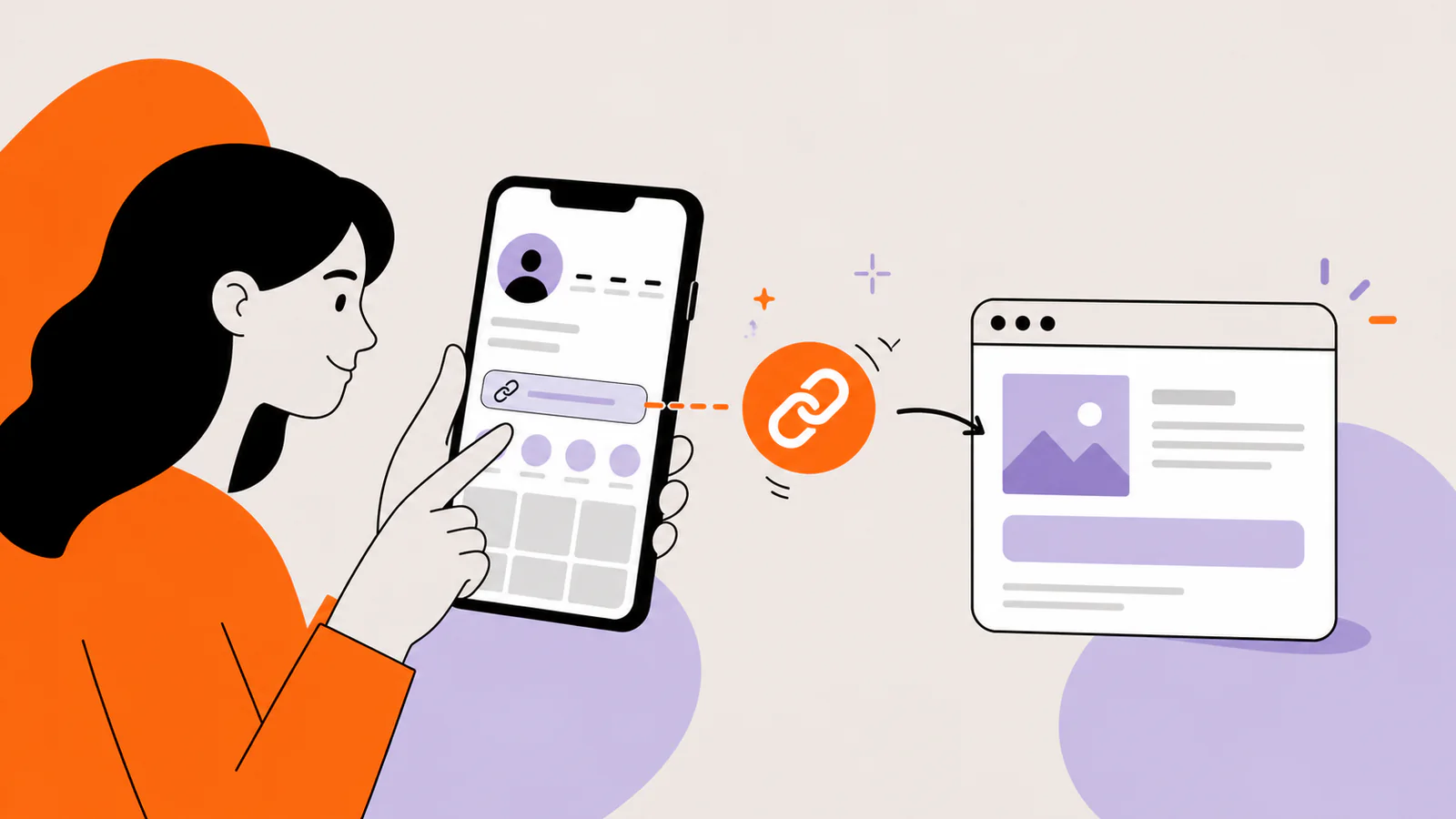
Your link in bio is a website link saved in your Instagram profile and shown with your bio. Posts and Reels say “link in bio” to send viewers to your profile, where they can tap it. Instagram lets you add up to five links, and anyone, on or off Instagram, can see them.
Other apps use the phrase too. See what “link in bio” means.
Steps to add an Instagram profile link
Use the Instagram app on your phone: Instagram doesn't let you add or edit profile links on a computer.
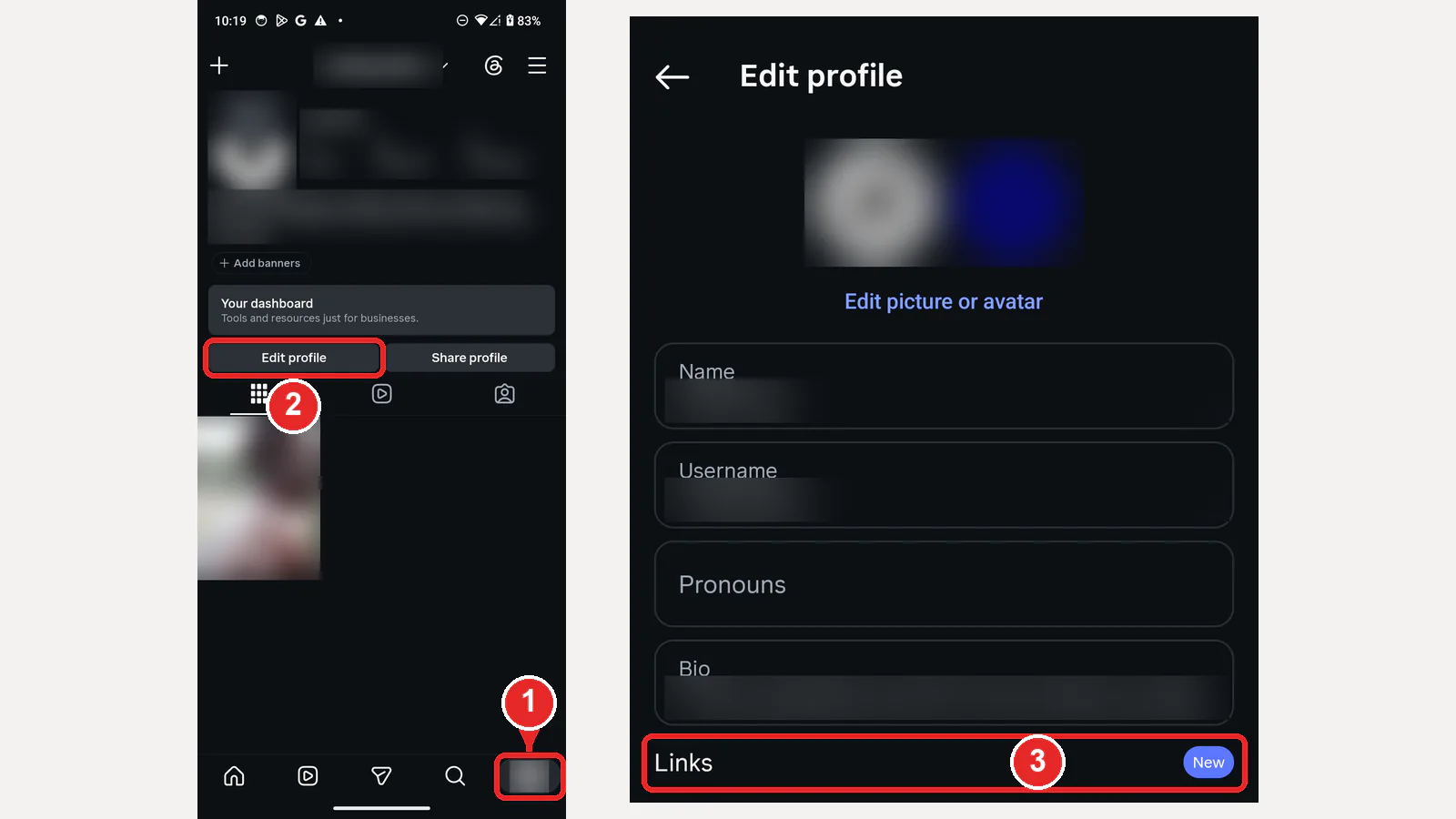
Open your Links settings
Add the link and save it
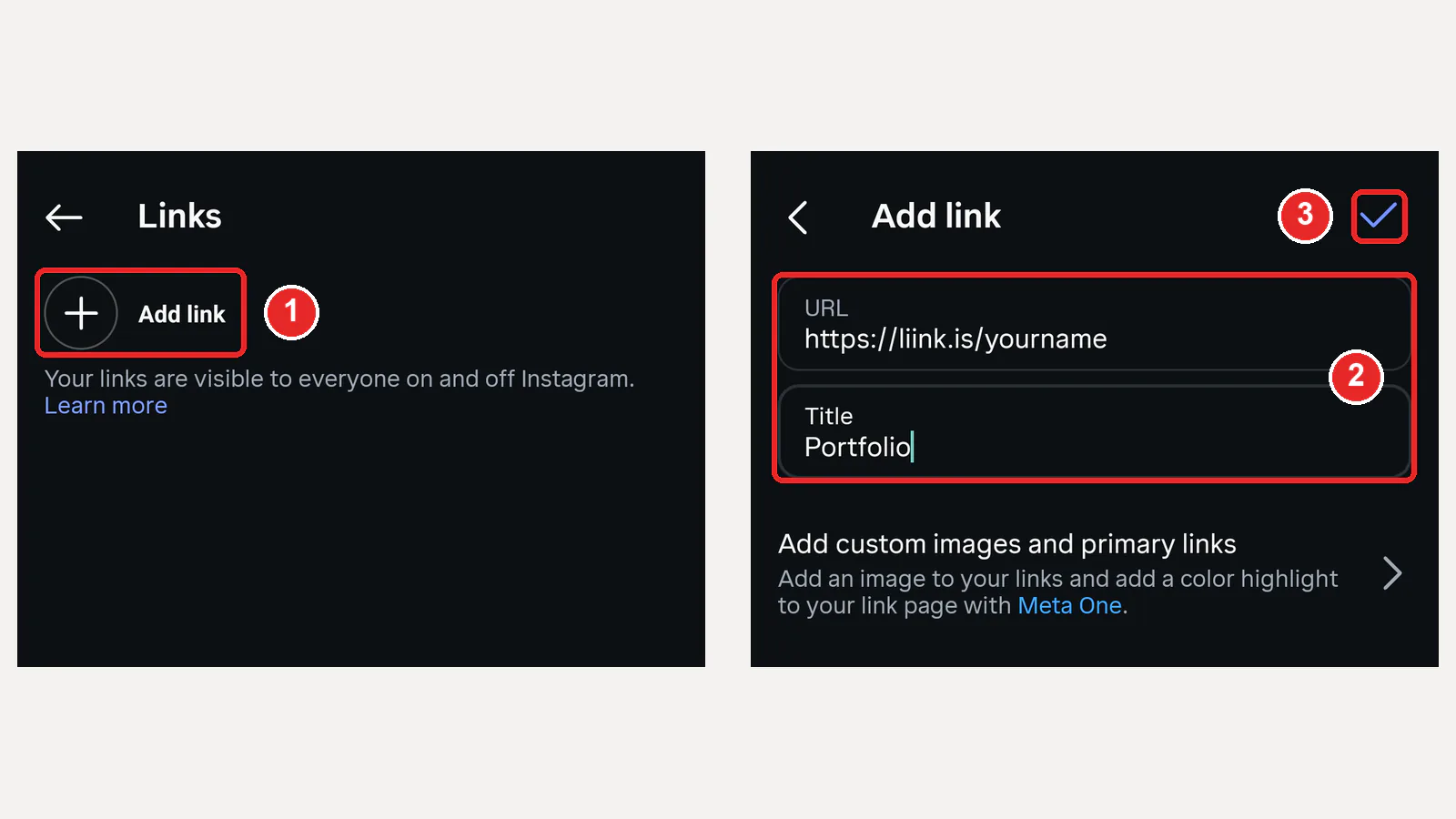
The title should tell visitors what they will get, such as “View my portfolio,” “Listen to the new episode,” or “Shop the summer collection.” Avoid generic labels when a specific one fits.
How to reorder or remove Instagram bio links
Instagram lets you change the order of the links people see on your profile, so the one your latest posts mention can come first.
To remove a link, open Edit profile, then Links, tap the link and choose Remove link.
Can you add a link to your Instagram bio from a computer?
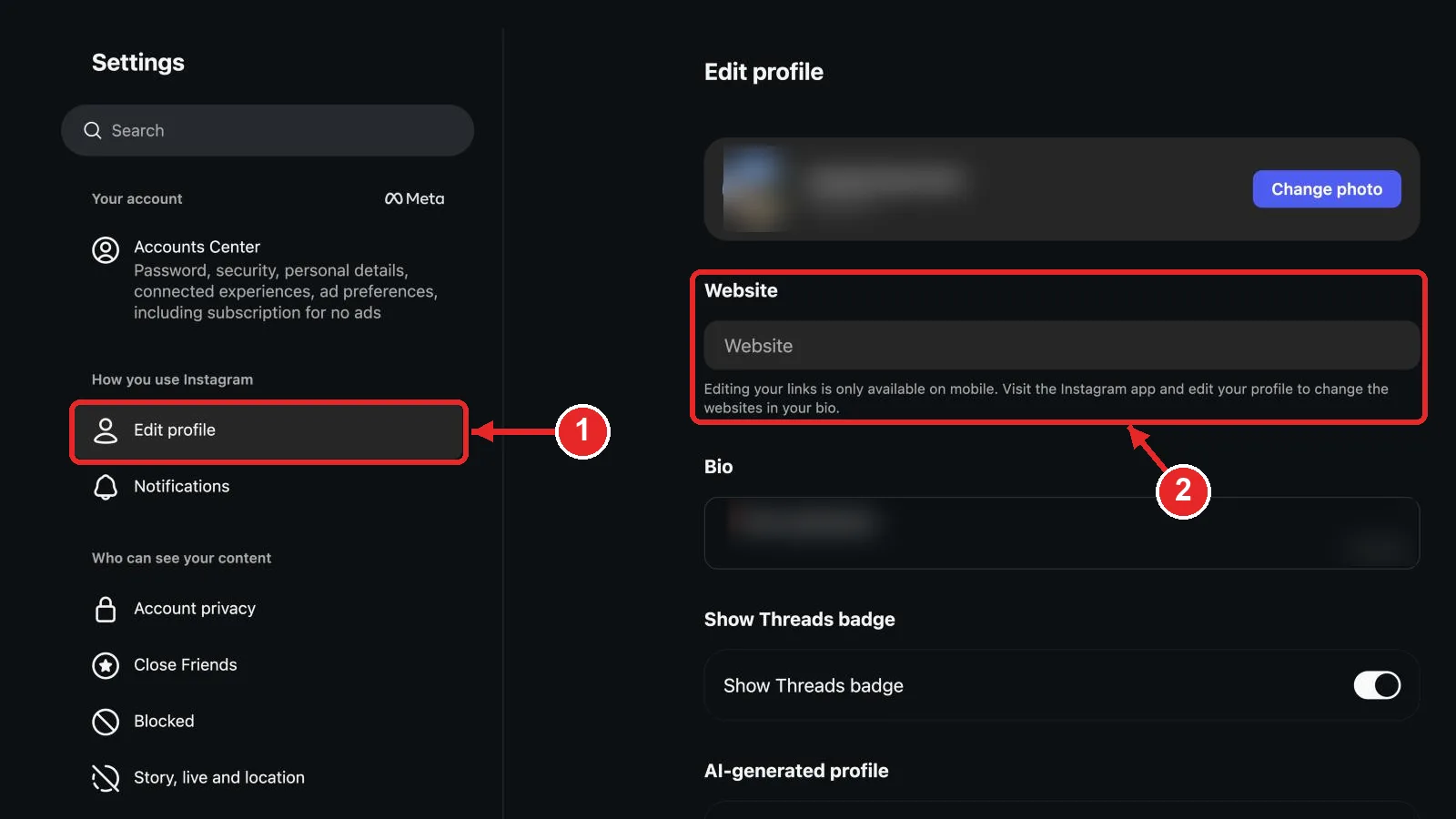
No. On instagram.com, Edit profile still shows a Website box, but it is switched off. The note under it says editing your links is only available on mobile and points you to the Instagram app. You can still change your bio text on a computer; to add or change a link, follow the steps above in the app.
Checked on instagram.com in English on October 9, 2026. Instagram may change this, so trust the note on your own Edit profile page.
Your Instagram profile link is public
Instagram identifies profile links as information that anyone can see, including when an account is private. Do not place a private document, unlisted administrative URL, or access token in the profile link.
Source: Instagram Help Center — what profile information anyone can see. Accessed July 26, 2026.
Can you put multiple links in an Instagram bio?
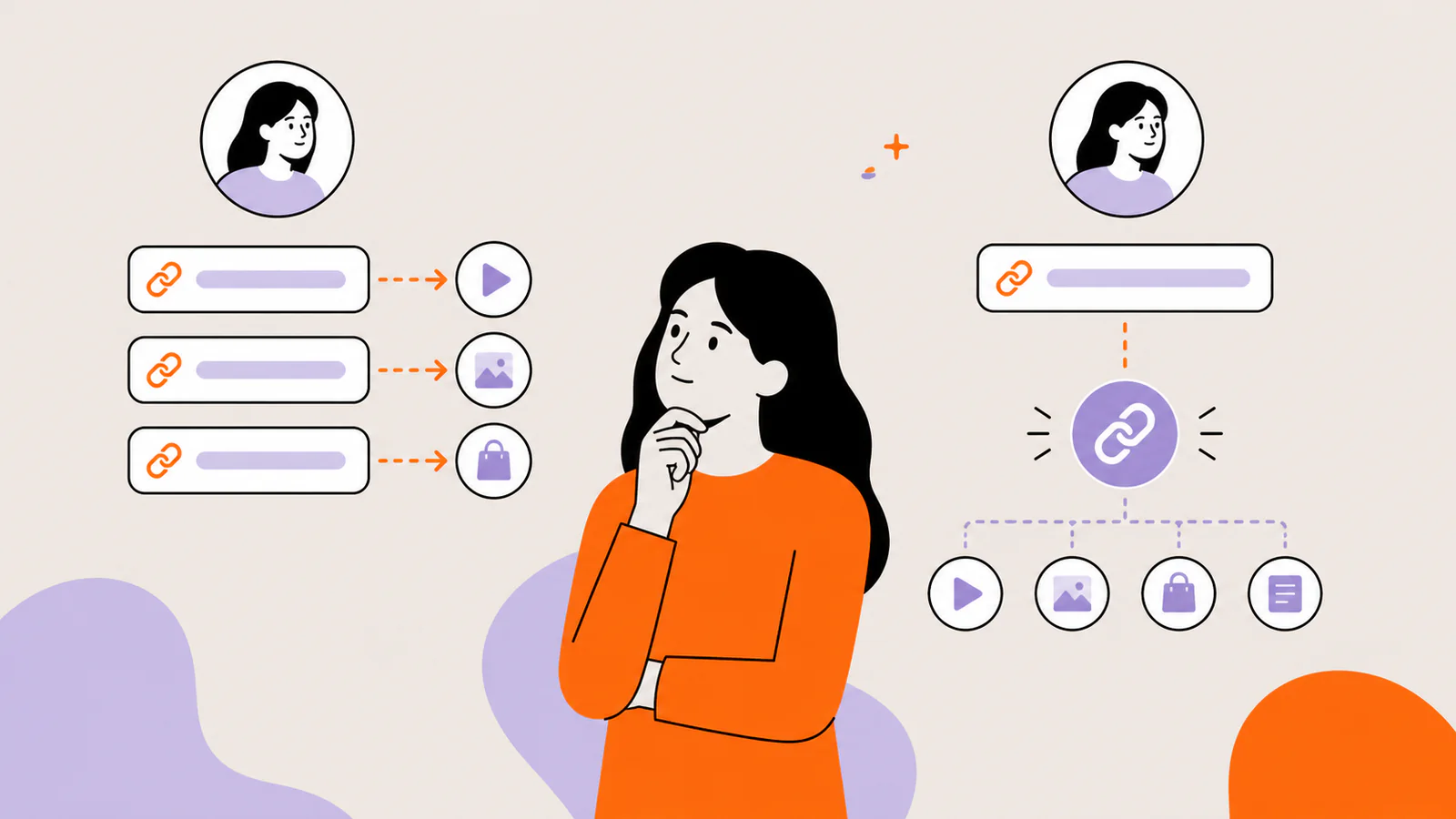
Yes. Instagram expanded profile support from one link to up to five links. Add each destination through Edit profile, then Links, then Add link. Give every link a specific title and put the most important destination first because visitors should not have to guess where to tap.
Official source: Instagram Help Center: Add a website to your Instagram profile. Checked October 20, 2026.
If you need a visual layout, more explanation around each destination, or one stable URL whose contents can change, use one Instagram slot for a landing page. If five clearly named native links cover the job, a separate link-in-bio tool is optional.
What should you link to?
Start with the promise in the posts that send people to your profile. A product launch should usually point to the product. A creator profile covering several themes may need a small page that organizes the newest and most important destinations.
Do not add a menu of ten destinations because the tool allows it. Give each link a job and remove anything that does not support a current audience need.
How to use one landing page for several links
A good landing page reduces the distance between “I am interested” and the intended action. It should not force a visitor to decode the creator’s entire business.
Make “link in bio” calls to action specific
Specific language helps a visitor find the right item if the profile contains more than one link. Keep captions accurate after changing the order or destination.
Need words to go with the link? Browse our 100 Instagram bio ideas within the 150-character limit.
Prefer to fill in the blanks? Try our 40 bio templates.
Troubleshooting an Instagram bio link
The Links option is missing
Update Instagram from the official app store, reopen the profile editor, and check the Accounts Center or Help area if the interface differs. Feature rollouts and account restrictions can affect what appears.
The link saves but does not open
Open the destination in a normal mobile browser, confirm the URL includes https://, and look for a typo, expired redirect, domain problem, or certificate warning.
The page looks broken inside Instagram
Instagram commonly opens links in an in-app browser. Test the page there. Remove overlays that cover the screen, reduce heavy media, and make buttons usable without horizontal scrolling.
A link disappeared from your profile
Instagram says teens under 18 can't include links to certain websites in their bios, such as sites that may share sensitive content, and that it may remove links to them added earlier. On any account, open Edit profile, then Links, to see which links are saved, and add a missing one again.
Instagram warns visitors about the destination
Check the domain for compromise, misleading redirects, or unsafe downloads. Do not try to bypass a safety warning with another redirect; resolve the underlying domain or content problem.
Frequently asked questions
Can I add a link to a private Instagram account?
A private account can still expose public profile information. Instagram’s help page says links are part of the profile information anyone can see.
Should I use a URL shortener?
Use a clear branded or recognizable destination when possible. Extra redirects can hide the final domain, complicate troubleshooting, and reduce trust.
How often should I update the link?
Update it when the primary audience action changes. If you use a landing page, keep the profile URL stable and update the first card instead.
How many links can you have in your Instagram bio?
Up to five. Add each one in Edit profile, then Links, then Add link. If you need more than five, or want images and short descriptions next to each link, put a link-in-bio page in one of the five slots.
Can I reorder my Instagram bio links?
Yes. In Edit profile, tap Links, open the Options menu, choose Reorder links, drag each link into place and tap Done.
Official sources checked
Instagram Help Center: Add a website to your Instagram profile — checked October 20, 2026.
Instagram Help Center: Why a link may have been removed from your Instagram profile — checked October 20, 2026.
Instagram Help Center: What profile information anyone can see — checked October 20, 2026.
Build an Instagram-ready profile destination
Liink supports a responsive visual grid with image-led cards, text, sections, external links, social profiles, email, files, and video or audio embeds. It is a destination for your Instagram profile link; it does not modify Instagram or bypass its account controls.
Start from the Liink photographer template, or create a blank page and put the destination named in your latest posts first.


