

How to Find Your LinkedIn Profile Link

To find your LinkedIn profile link on a computer, click Me at the top of LinkedIn, then View profile: your link is under Public profile & URL on the right and starts with www.linkedin.com/in/. In the LinkedIn app, open your profile, tap the More button next to Add section, then Contact info. You can shorten the end of the link to your name, and add up to three website links to your own profile.
Disclosure: Liink publishes this guide and makes a link-in-bio page builder. Liink is not affiliated with LinkedIn or Microsoft. The LinkedIn Help Center was checked in English on October 20, 2026. LinkedIn changes menus over time, so trust its current help page if your screen looks different.
What is your LinkedIn profile link?
Your LinkedIn profile link, which LinkedIn calls your public profile URL, is the web address of your profile. It starts with www.linkedin.com/in/ followed by your name or a mix of letters and numbers. If your profile is public, this is the link you share so people can open it.
LinkedIn's help page notes two exceptions. If your profile isn't public, the link doesn't appear. And members in some countries get a link that starts with a two-letter country code, such as ca.linkedin.com/in/; if you change the country on your profile, the link changes too, and the old one keeps working.
How to find your LinkedIn profile link on a computer
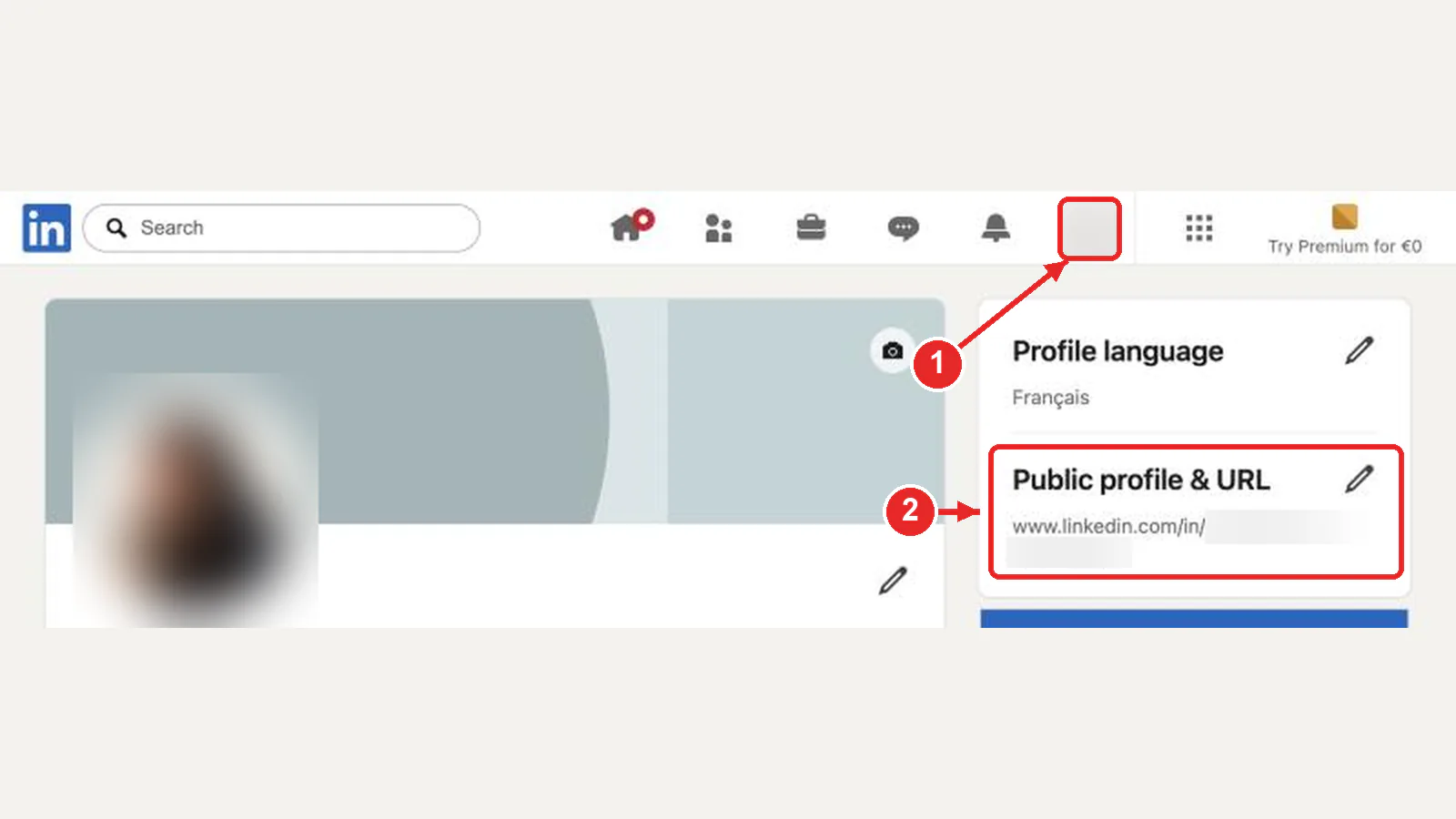
Contact info, under your name, shows the same link as Your profile. To send your profile to someone on LinkedIn instead, click Resources on your profile and choose Send profile in a message.
How to find your LinkedIn profile link in the app
The same More menu has Send profile in a message, if you'd rather share your profile inside LinkedIn.
How to customize your LinkedIn URL
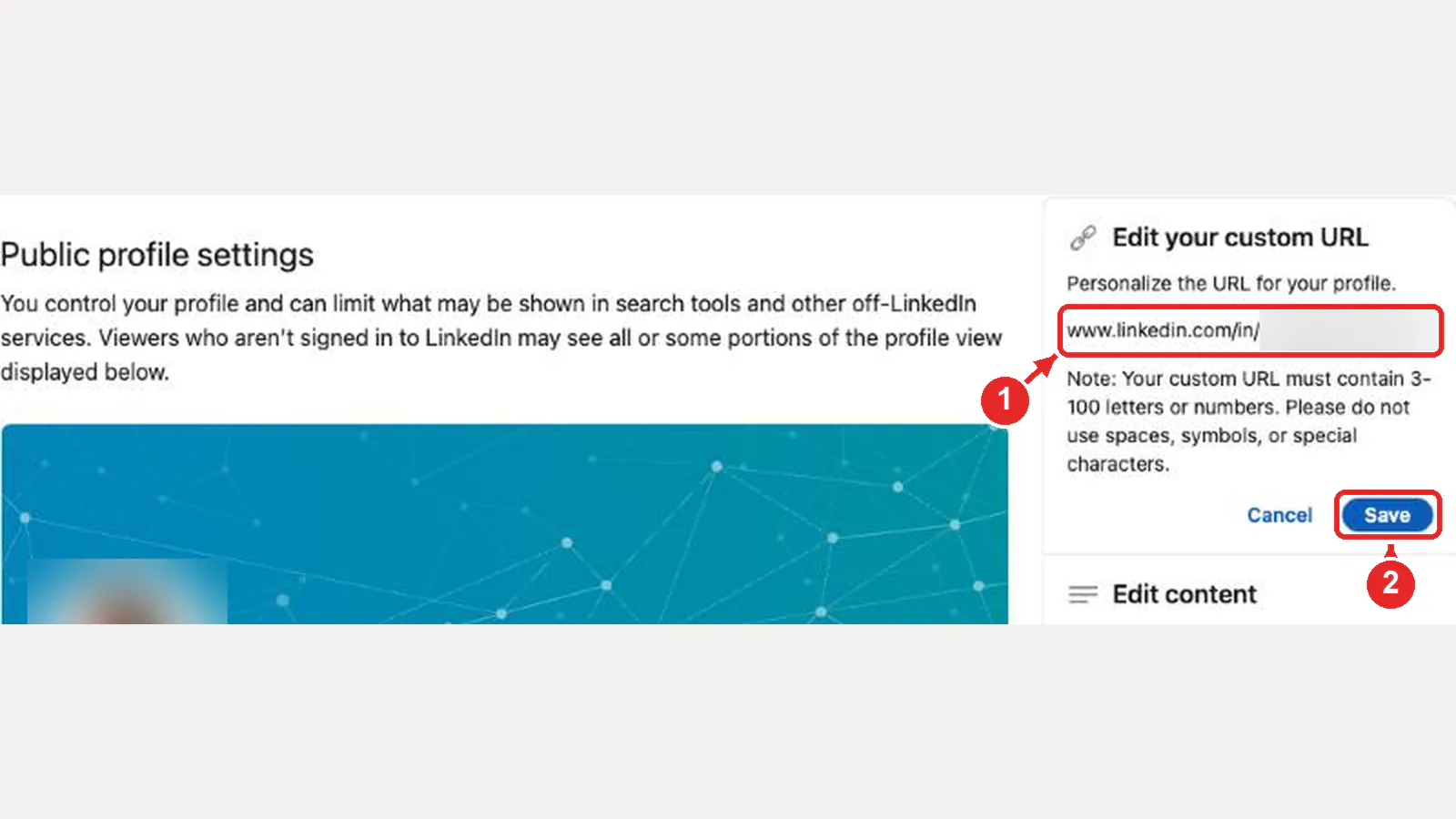
LinkedIn gives every profile a link when it's created, which may end in a string of numbers. You can change the last part to something easier to share, such as your name. Open your profile and click the pencil next to Public profile & URL (the box marked 2 in the screenshot above). On the page that opens:
In the app, open your profile, tap More next to Add section, tap Contact info, tap the edit icon, then tap your profile URL to reach the same settings.
LinkedIn custom URL rules
How to add links to your LinkedIn profile
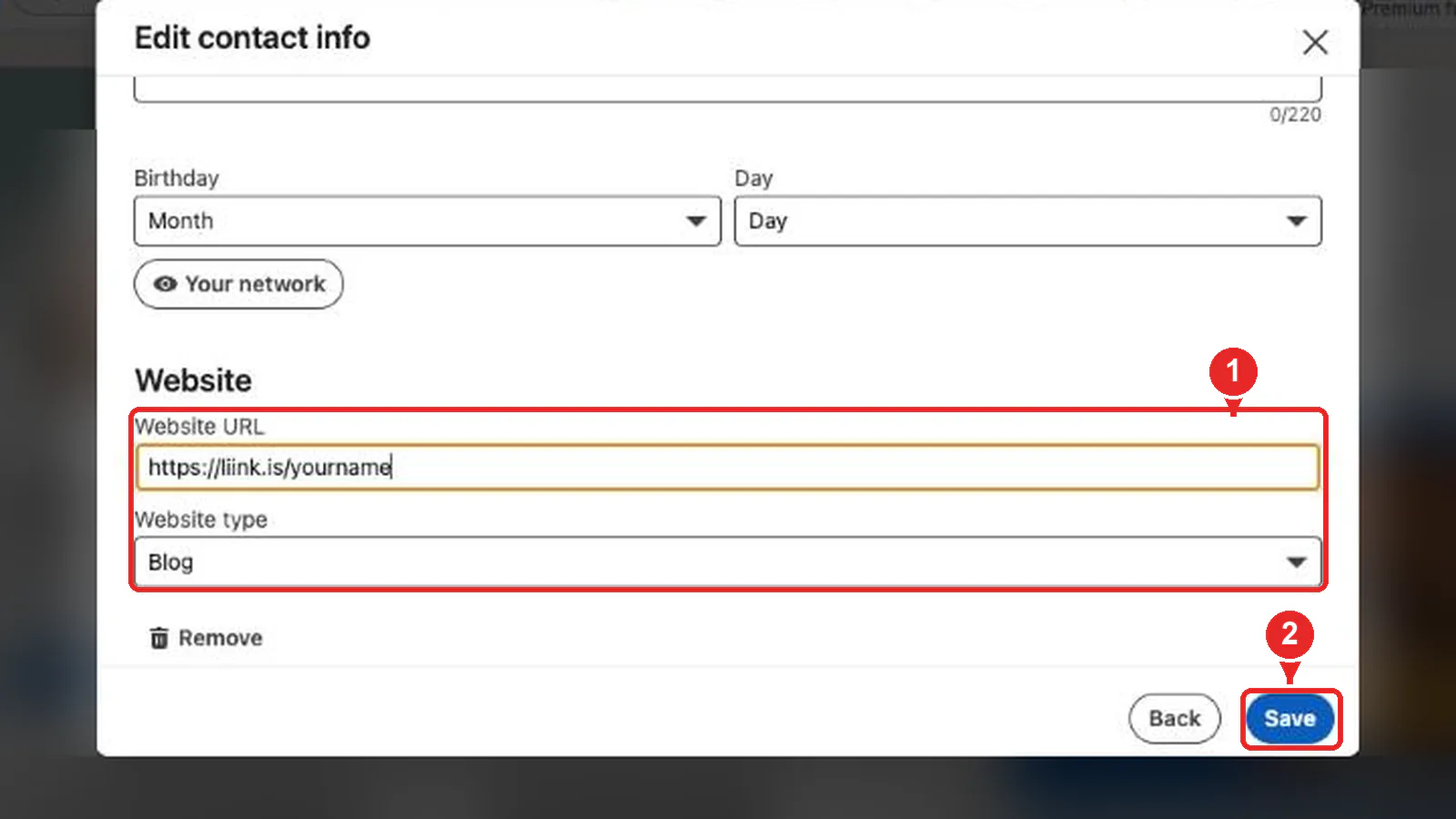
Finding your LinkedIn link is one direction. To send LinkedIn visitors somewhere else, such as your portfolio or your link-in-bio page, add a website to your profile. LinkedIn shows up to three website links in the Contact info of your profile's introduction.
Open your profile, click Contact info under your name, then Edit contact info. In the form:
In the app, tap the edit icon in your introduction section, scroll to Contact info and tap Edit contact info.
LinkedIn custom button (Premium)
A custom button such as Visit my website or Book an appointment shows on your profile, in search results, in messages and in the feed. LinkedIn's help page says it's only available to a select group of Premium Business, Sales Navigator and Recruiter Lite subscribers. LinkedIn also says it removed the clickable link that Creator Mode used to put in the profile introduction.
Where to share your LinkedIn profile link
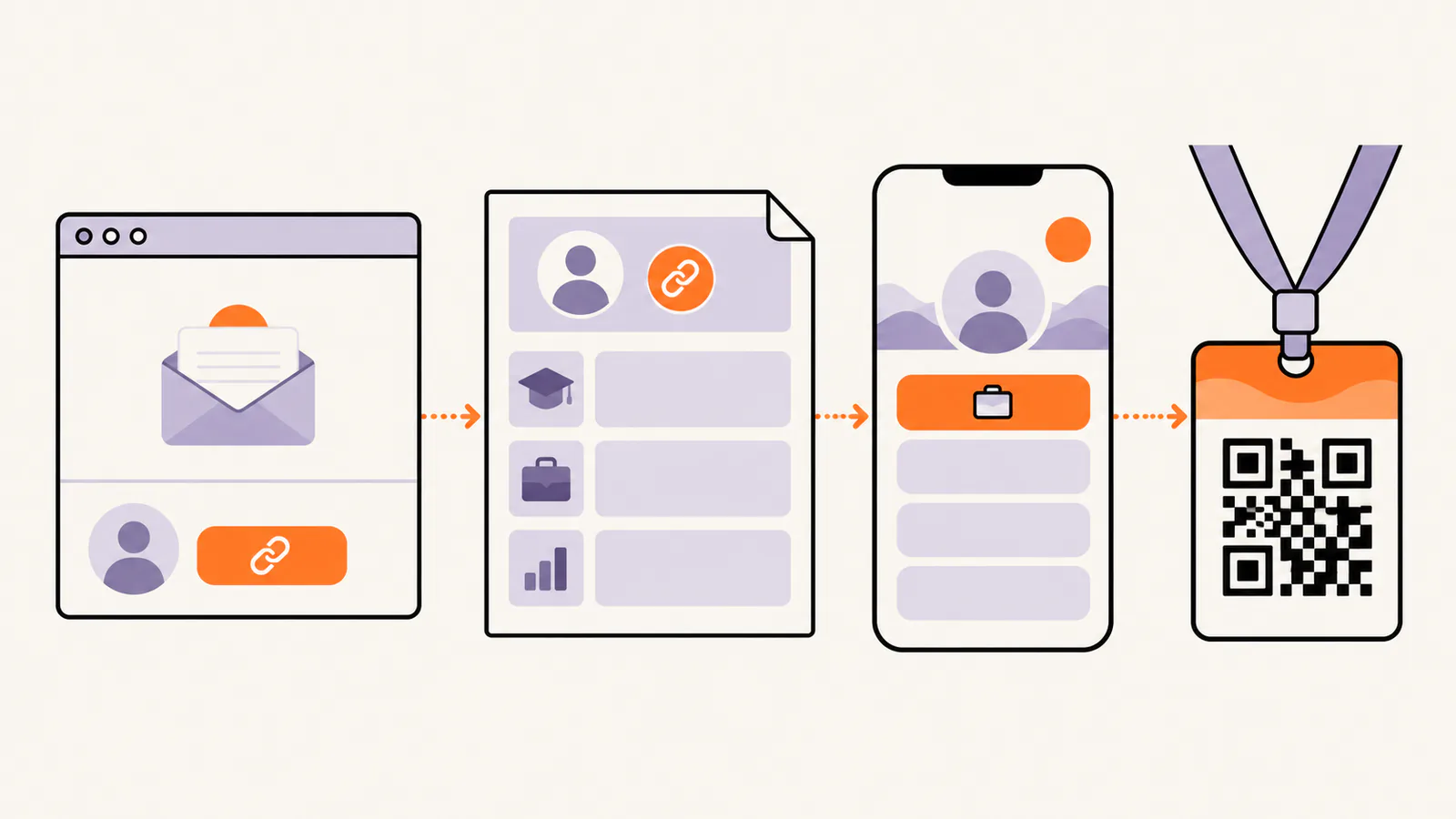
Share your custom link rather than the one with numbers: it's easier to read, type and remember.
LinkedIn profile link not working?
You can't find Public profile & URL
LinkedIn says the link doesn't appear if you don't have a public profile. Check your public profile settings, then look again.
The link shows Profile Not Found
This can happen with a custom link that was changed or unlinked. Copy your current link again from your profile and use that one.
The custom URL you want isn't available
Someone else has it. Try a variation, such as adding your middle initial or your profession.
Add your LinkedIn link to a Liink page
Paste your LinkedIn profile link into a Liink link block and it shows with the LinkedIn icon, next to your other links.
Building a link-in-bio page? Liink is one option: the Free plan includes one public page with unlimited links and QR code sharing, and Pro ($7.99/month or $79.90/year) adds up to 5 public pages, custom domains and detailed analytics. Liink does not change how LinkedIn works.
Frequently asked questions
How do I get my LinkedIn profile link?
On a computer, click Me, then View profile, and copy the link under Public profile & URL on the right. In the app, open your profile, tap More next to Add section, then Contact info.
How do I copy my LinkedIn profile link on my phone?
Open your profile in the LinkedIn app, tap the More button next to Add section, tap Contact info, and copy the link under Your Profile.
How do I change my LinkedIn URL?
Click Me, View profile, then the edit icon next to Public profile & URL. Under Edit your custom URL, edit the last part and save. You can change it five times in six months.
What does a LinkedIn profile link look like?
It starts with www.linkedin.com/in/ followed by your custom ending, such as www.linkedin.com/in/yourname. In some countries it starts with a two-letter country code.
How do I add a link to my LinkedIn profile?
Open Contact info from your profile introduction, click the edit icon, then Add website. You can show up to three websites.
Why can't I find my LinkedIn profile link?
LinkedIn says the link doesn't appear if you don't have a public profile. Check your public profile settings, then look under Public profile & URL again.
Official sources checked
The LinkedIn facts in this guide were checked against the LinkedIn Help Center, in English, on October 20, 2026:
Search demand was checked in the Semrush US database on October 20, 2026. Volumes are research estimates, not traffic guarantees.


