

How to Add a Link on Snapchat

To add a link on Snapchat, take or choose a Snap, tap the paperclip icon on the Preview screen, add a URL, and tap Attach to Snap. Send the Snap to friends or post it to My Story, and viewers swipe up to open the website. A website on your profile is a separate feature that Snapchat lists only for Creator Accounts and Business Profiles.
Liink publishes this guide and makes link-in-bio pages; it is not affiliated with Snap Inc. We checked Snapchat's official help pages in October 2026. Snapchat changes menus often, so trust your current app if it looks different.
Where you can add links on Snapchat
Snapchat links do three jobs. A link on a Snap is temporary. A profile website stays until you change it, but only some accounts have one. Your own profile link brings people from other apps to you on Snapchat.
Add a link to a Snap or Story
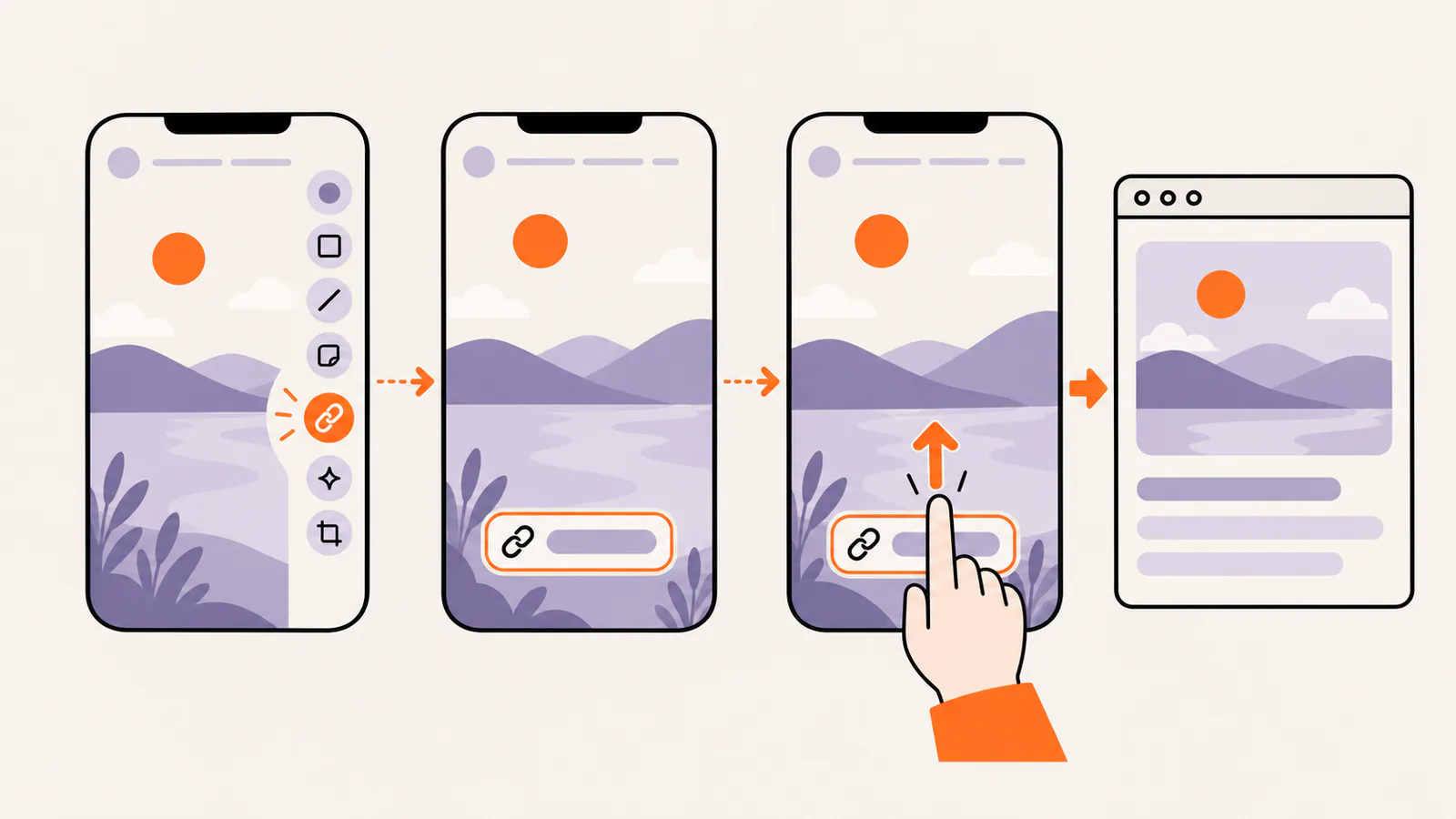
You attach the link while you edit a Snap, before you send it. Snapchat documents this paperclip flow for Snaps you send to friends and for Story posts.
Steps to attach a link to a Snap
My Story · Friends is visible only to your friends. My Story · Public, available from age 16, is visible to friends, followers, and anyone on Snapchat. Stories last 24 hours (Snapchat+ can change this), so a Story link is temporary.
Make the link worth a swipe
Add a website to your public profile
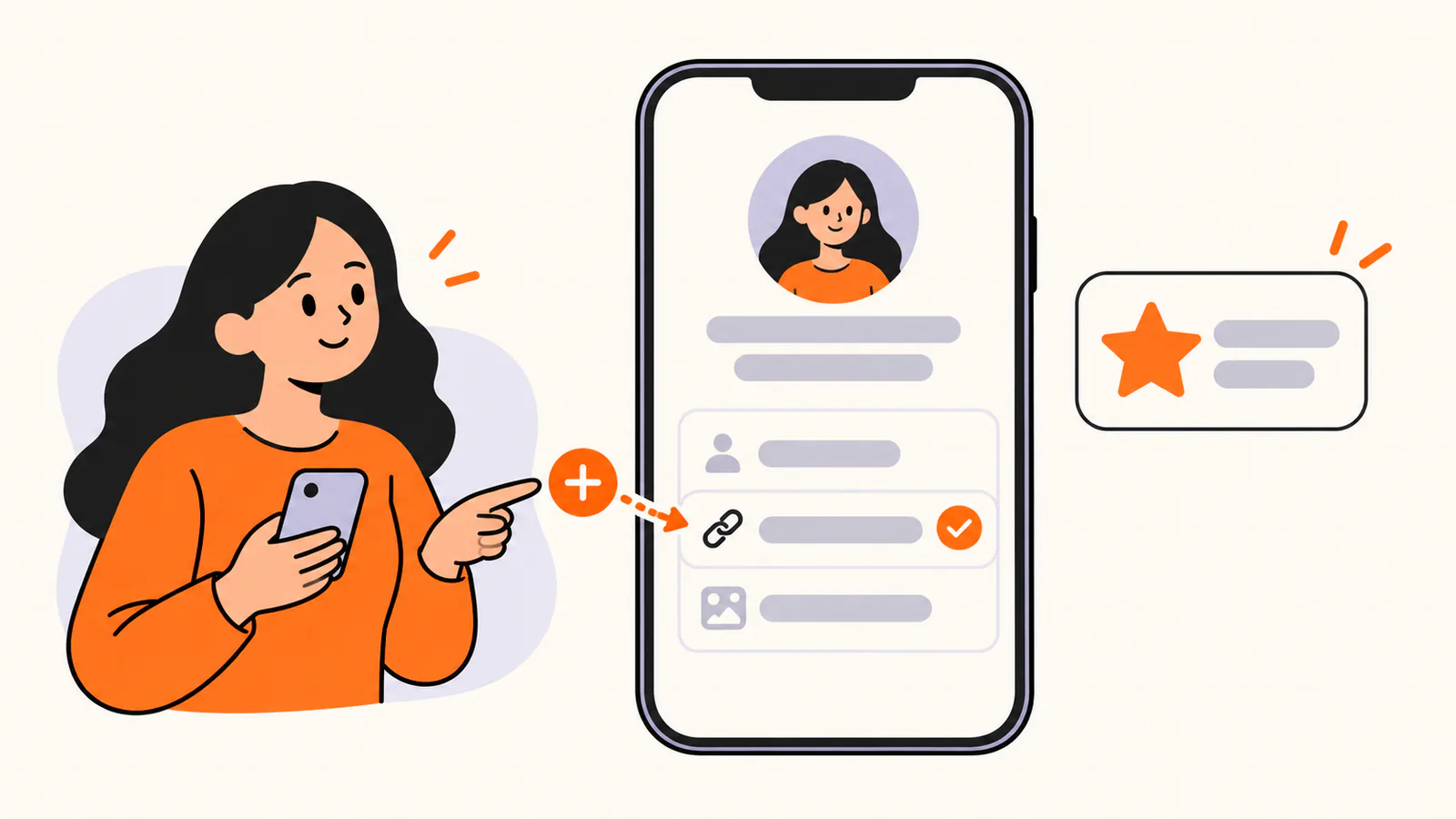
Not every account can add a profile website. Snapchat's feature table leaves Add a Website and Public Email unchecked for a standard Public Profile, and lists it for Creator Accounts and Business Profiles with a Public Profile.
How to add the website
No website option? Check your account type in the table above. Snapchat upgrades Creator Accounts itself, and a Creator Account cannot be switched back. Until then, attach links to individual Snaps and share your profile link elsewhere.
Share your own Snapchat profile link
Searching how to add a Snapchat link can also mean the reverse: putting your Snapchat on Instagram, TikTok, or a website so people can add you.
A shareable link to one Snap is different: anyone with it can view the content, it can be forwarded, and Snapchat says it expires around 36 hours after creation. Use it for one-off sharing.
Adding your Snapchat link to Instagram? Follow the Instagram bio-link guide.
For TikTok, read the TikTok bio-link guide first, because TikTok limits which accounts can add a website.
Link safety on Snapchat
Snapchat checks opened links with Google Safe Browsing and warns about suspected phishing, malware, and other harmful sites. The check is not perfect, so a warning can be wrong and no warning does not prove a site is safe.
Why your Snapchat link is not working
Use one link page for everything else
Snap links are temporary, and a profile website depends on your account type. A single page you control gives your shop, portfolio, newsletter, and socials one lasting home that you can attach to Snaps, add as your profile website, and share elsewhere.
New to the idea? Read what link in bio means before you build one.
Liink is one option. The Free plan costs $0 and includes 1 public page, unlimited links, QR code sharing, and a liink.is/yourname address. Pro costs $7.99 a month or $79.90 a year and adds up to 5 public pages, custom domains, detailed analytics, and the option to remove Liink branding. Liink cannot change which Snapchat accounts get a profile website.
Create a free Liink page and test it inside Snapchat before you share it. Liink does not guarantee clicks, followers, or sales.
Writing the bio itself? Try our 40 Snapchat bio ideas, with steps to edit your Public Profile.
Frequently asked questions
Can you add a link to a Snapchat Story?
Yes. Attach the link with the paperclip on the Preview screen, tap Attach to Snap, then post the Snap to My Story. Viewers swipe up on that Snap to open the website while the Story is live.
Why can't I add a website to my Snapchat profile?
Your account type probably does not include it. Snapchat lists the profile website for Creator Accounts and Business Profiles with a Public Profile, not for a standard Public Profile. Snapchatters under 16 have My Profile, which has no bio.
How do I get a Creator Account on Snapchat?
Snapchat upgrades eligible accounts itself. It requires a Public Profile, active posting to Stories and Spotlight, a grown audience, and Story visibility set to Everyone. Some users aged 18+ can instead switch to a Professional Account from Edit Profile.
What is my Snapchat profile link?
Use https://www.snapchat.com/add/ followed by your username. You can also share your Snapcode, the QR code on your Profile.
Official sources checked
How do I attach a link to a Snap? (paperclip, Attach to Snap, swipe up), checked October 2026.
Post to Your Public Story on Mobile (links on Story posts), checked October 2026.
How do I add Snaps to My Story? (Send To screen, 24-hour Stories), checked October 2026.
My Story · Public versus My Story · Friends (Story audiences), checked October 2026.
What features come with a Public Profile on Snapchat? (no website on a standard profile), checked October 2026.
What features come with a Creator account on Snapchat? (website for Creator and Business profiles), checked October 2026.
How can I get Creator features on Snapchat? (Creator eligibility), checked October 2026.
What are Professional Accounts on Snapchat? (switching steps, 18+), checked October 2026.
How do I edit my Public Profile on Snapchat? (editing steps), checked October 2026.
Public Profile Creative FAQs (business website field, profile URL), checked October 2026.
About Profiles on Snapchat (profile types, Business Profile age), checked October 2026.
Why don't I have a Public Profile? (age and eligibility), checked October 2026.
What is My Profile and who can see it? (under-16 profiles), checked October 2026.
What is a Snapcode? (sharing your Snapcode), checked October 2026.
How to Link to Your Public Snapchat Profile (profile URL formats), checked October 2026.
How do I share content from Snapchat? (public Snap links expire), checked October 2026.
How Snapchat Uses Google Safe Browsing (link warnings), checked October 2026.
Snap Community Guidelines (spam and deceptive links), checked October 2026.
Snapchat security and safety tips (password guidance), checked October 2026.


