

Is Linktree Free? What the Free Plan Includes—and Does Not

Yes. Linktree has a Free plan that needs no paid subscription; its pricing page labels it "free with restrictions". Free includes unlimited basic links, email and phone sign-ups, a QR code, and 28 days of analytics history, but keeps Linktree branding and allows one featured link. Paid Starter, Pro, and Premium plans add design, analytics, integrations, and branding removal, and Linktree can take a percentage of digital-product and course sales on top of payment processing. Check the live pricing page for your region before relying on any feature or cost.
Disclosure: Liink publishes this answer and offers a competing visual-profile product with its own free limits. Liink is not affiliated with Linktree. Official Linktree sources were rechecked October 8, 2026. Linktree prices its paid plans in local currency; the prices below are the euro prices its pricing page showed when we loaded it from France that day, so your currency, tax, billing term, and promotions may differ. Verify the current product and checkout rather than treating a search snippet or old comparison as a contract.
The short answer: free to start is not the same as cost-free for every job
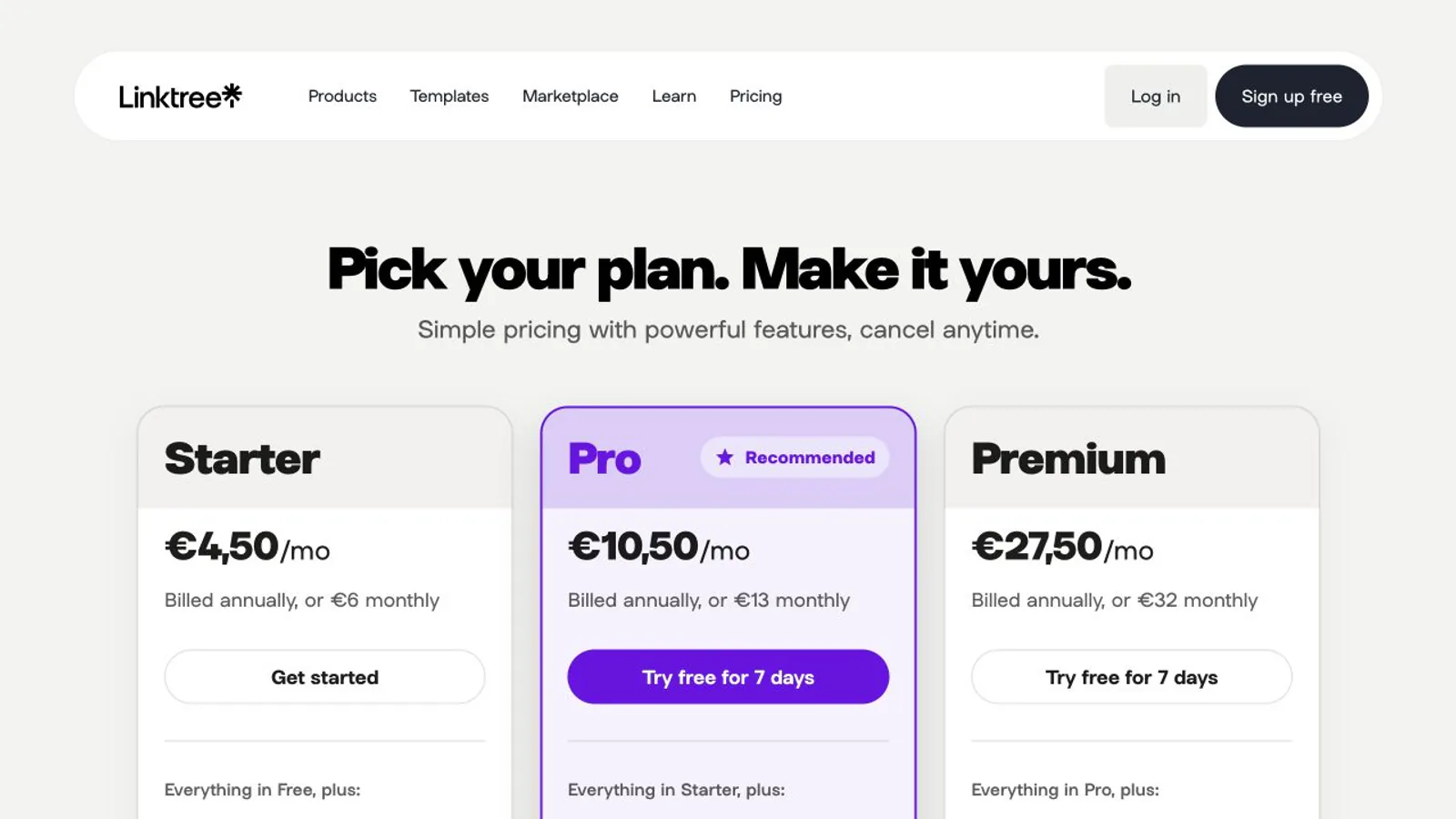
Linktree's pricing page lists four self-serve plans, Free, Starter, Pro, and Premium, plus custom Agency and Enterprise plans. Free is the only one without a subscription; the page advertises 7-day free trials on its paid plans. Use the comparison for the account and region you will actually operate: a capability shown somewhere on Linktree's site may require a plan, country, payment provider, or eligibility condition that does not apply to every user.
Official source: Linktree pricing — checked October 8, 2026. The page labels Free "free with restrictions", lists unlimited basic links and email and phone sign-ups on it, and shows paid prices in the visitor's local currency.
Linktree pricing in 2026: Free, Starter, Pro, and Premium
The table summarizes each plan from Linktree's pricing page and paid-features overview, checked October 8, 2026. Annual billing lowers the monthly price, and the fee column is Linktree's own percentage on digital products and courses, before Stripe processing.
*Euro prices shown on Linktree's pricing page when we loaded it from France on October 8, 2026. Linktree displays prices in the visitor's local currency, so the amount you see in the United States or elsewhere may differ, and tax or promotions can change the total. Stripe processing of 2.9% + $0.30 per purchase applies to digital-product and course sales on every plan.
What Linktree Free means in practice
Free profile features and paid-plan boundaries
A free profile can be sufficient when the job is simple routing: send visitors to a portfolio, store, newsletter, booking page, social channel, or contact destination. Paid plans become relevant only when a specific restriction matters, such as more design control, longer analytics history, integrations, audience workflows, support, or different seller economics. Write the requirement first, then find the lowest plan that demonstrably satisfies it. Paying for a long feature list that nobody operates does not improve the visitor journey.
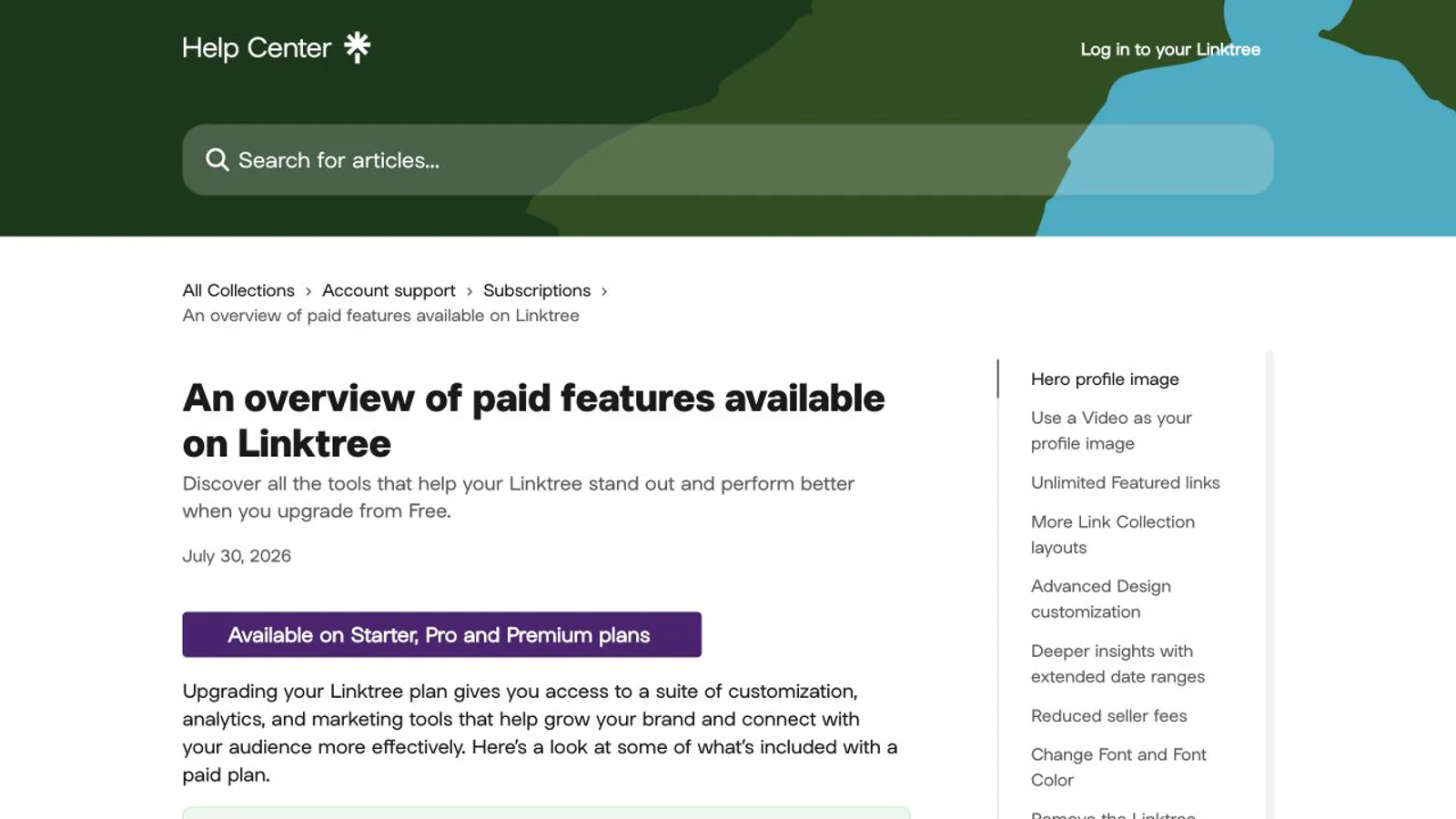
Linktree's paid-features overview describes plan-dependent profile design, extended analytics date ranges, marketing tools, integrations, and reduced seller fees. It is a product overview, not proof that a feature is necessary for your page. Compare it with the live pricing page and the controls visible in your own account before upgrading.
Official source: Linktree paid-features overview — updated July 30, 2026 and checked October 8, 2026.
Analytics are included, but define what the numbers mean
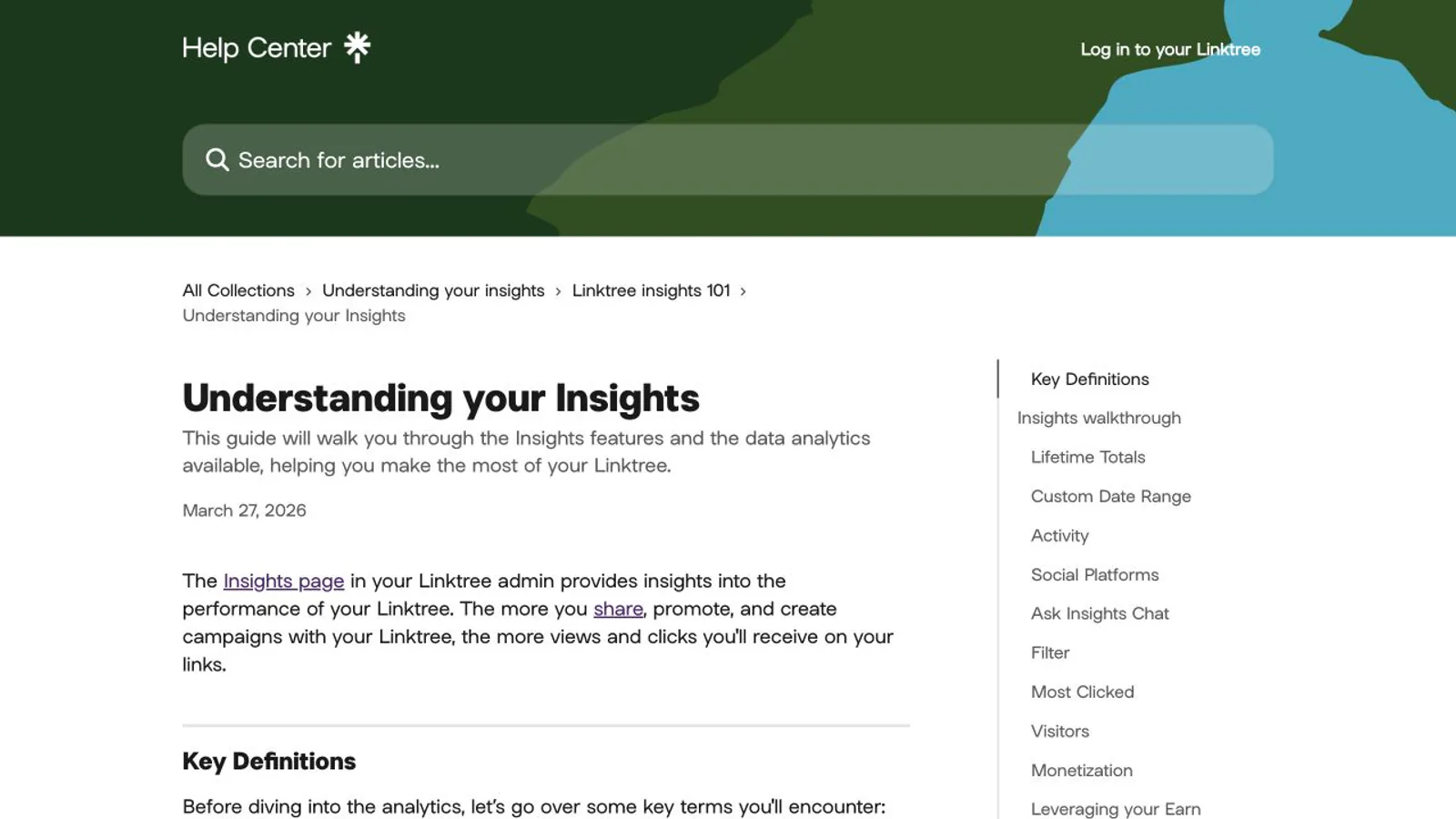
Linktree documents total and unique profile views, total and unique clicks, and additional reporting such as referrers, locations, devices, audience, and monetization data with plan-dependent access. A view is not a lead and a click is not a purchase. If the page supports a business, nonprofit, or creator launch, add privacy-safe campaign parameters to destination URLs and measure a completed action in the destination system.
Do not compare two products using differently defined metrics. One may count profile views, another unique visitors, and the destination may count sessions, form starts, or completed orders. Document the reporting window, filters, consent state, test traffic, and the conversion event before deciding that a paid analytics plan improves performance.
Official source: Understanding Linktree Insights — published March 27, 2026 and checked September 1, 2026.
Selling can create fees even on a free account
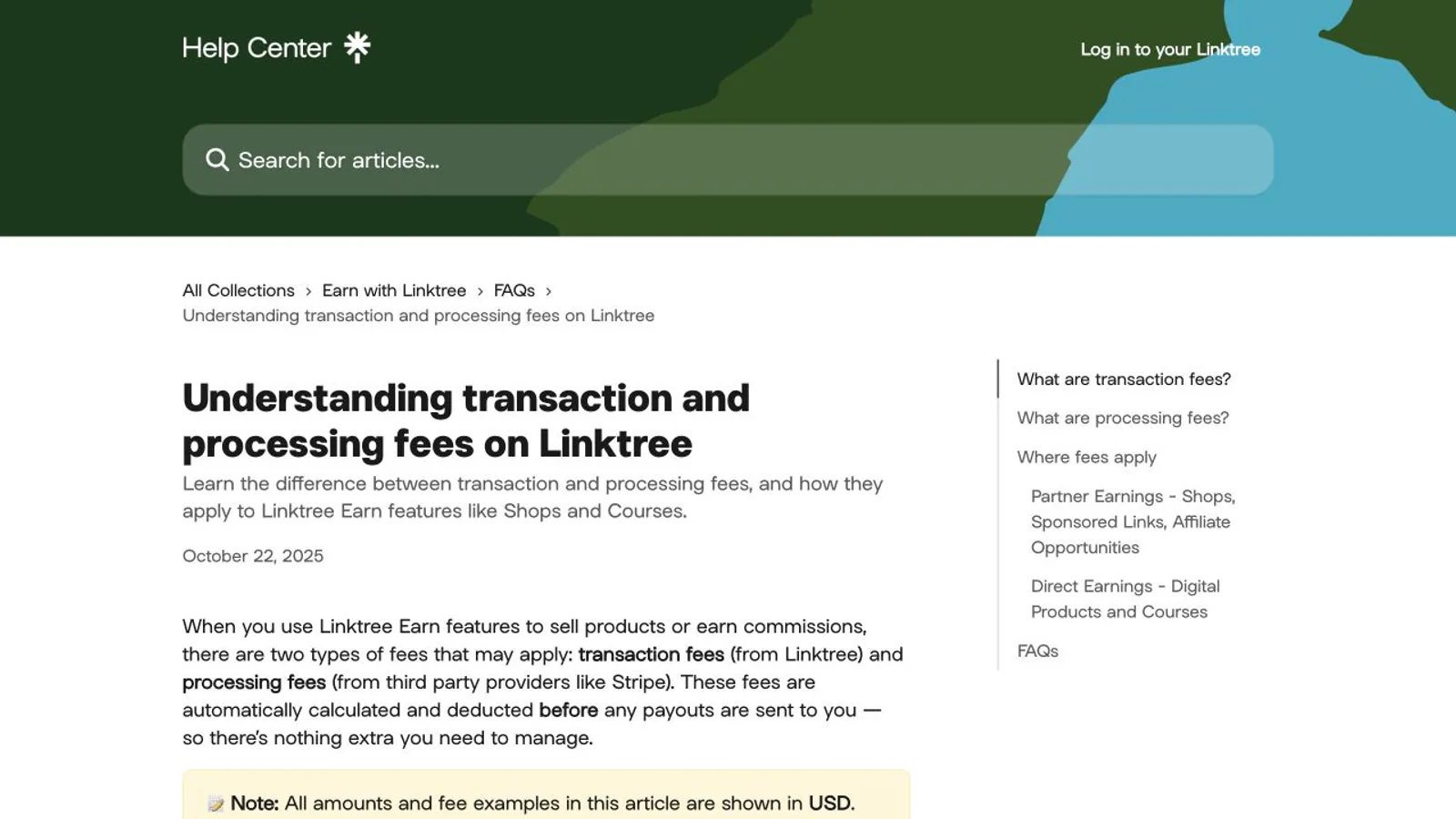
Linktree can take a percentage of what you sell. Its fee guide separates Linktree transaction fees, which vary by plan, from Stripe processing, which is 2.9% + $0.30 per digital-product or course purchase on every plan; for Shops commissions, Linktree's share is already deducted from the commission shown and Stripe charges $0.25 per payout. The pricing page's comparison table lists the Linktree fee on digital products and courses as 12% on Free, 9% on Starter and Pro, and 0% on Premium. Two official pages currently point elsewhere: the Pro plan card says "Sell and earn with 0% fees", and the digital-products guide, updated in October 2026, says selling is available on Pro and Premium. Check the fee and eligibility shown in your own account before you set a price.
A percentage fee can be inexpensive while an offer is being validated and material after revenue grows. A paid subscription can reduce some platform fees while adding a fixed cost. Model at several realistic revenue levels instead of assuming free is cheapest or paid is better. Include the cost of email, course delivery, files, support, and any external checkout that remains necessary.
Official source: Linktree transaction and processing fees — updated September 30, 2026 and checked October 8, 2026. Plan percentages are listed on Linktree's pricing page; verify countries and Stripe terms before selling.
When the free plan is likely enough
When to evaluate a paid plan or another product
A no-cost evaluation checklist
Frequently asked questions
Does Linktree Free expire?
No expiry is shown. Linktree's pricing page presents Free as a no-cost plan labelled "free with restrictions", not as a time-limited trial; the 7-day free trials apply to paid plans. That describes the current offer, not a promise that features or terms can never change, so check the live pricing page and account notices before depending on a feature for a long-running campaign.
Does free Linktree include unlimited links?
The official pricing page currently lists unlimited basic links on Free, but only one featured link; paid plans allow unlimited featured links. Supported content types, embeds, design controls, analytics, integrations, commerce, moderation, and usage terms are separate questions. Test the exact destinations and content you intend to publish rather than treating unlimited as unrestricted.
Does Linktree take a percentage of sales?
Yes, on some plans. Linktree's pricing table lists a 12% Linktree fee on digital products and courses sold on Free, 9% on Starter and Pro, and 0% on Premium, and Stripe adds 2.9% + $0.30 per purchase. Because the Pro plan card advertises 0% fees, confirm the rate shown in your account. For Shops commissions, Linktree's share is already deducted from the commission you see, and Stripe charges $0.25 per payout.
Is Liink completely free?
Liink offers a permanent free starting plan with product limits, and paid or external services may still be needed for other jobs. Liink does not replace native checkout, email marketing, course hosting, a full website CMS, or every Linktree feature. Verify the live Liink product presentation and compare the same visitor journey rather than choosing from the word free alone.
Compare free starting options honestly
For a wider comparison of free starting points and product models, read the best link-in-bio tools guide and verify every current plan at its official source.
If a team will operate the profile, continue with the Linktree for business guide to account for ownership, analytics, local discovery, and customer journeys.
To compare a visual profile with the same destinations, create a free Liink test page. Liink does not guarantee that it will be cheaper, easier, better converting, indexed, or suitable for every workflow.


